Skeleton
Native skeleton composition, package imports, and editable Swift source.
Preview
Use it
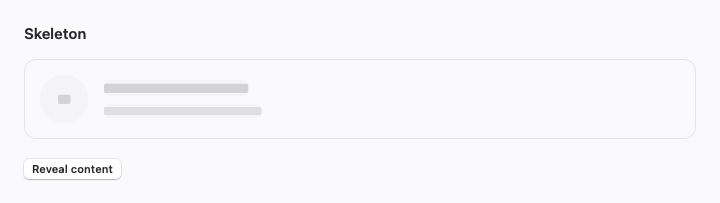
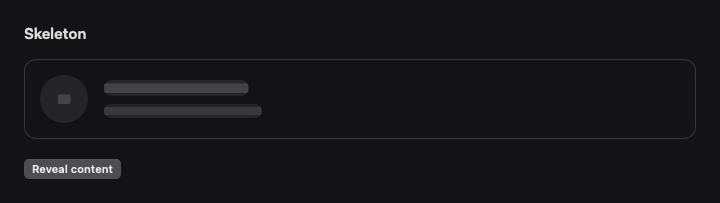
Import SwiftCN to use CNSkeleton directly. This complete example also runs in the native component gallery.
import SwiftUI
import SwiftCN

struct SkeletonExample: View {
    @State private var isLoading = true
    var body: some View {
        VStack(alignment: .leading, spacing: 20) {
            CNAdaptiveActionLayout(spacing: 16) {
                CNSkeleton(isLoading: isLoading, classes: "rounded-full") {
                    CNAvatar(accessibilityLabel: "Charles Bethin", classes: "w-12 h-12") { Text("CB").lineLimit(1).minimumScaleFactor(0.5) }
                }
                VStack(alignment: .leading, spacing: 8) {
                    CNSkeleton(isLoading: isLoading) { Text("Your next great project").tw("font-semibold") }
                    CNSkeleton(isLoading: isLoading) {
                        Text("A fresh canvas for your team.").tw("text-sm text-mutedForeground")
                    }
                }
            }.frame(maxWidth: .infinity, alignment: .leading).tw("p-4 border rounded-lg w-full")
            CNButton(isLoading ? "Reveal content" : "Show skeleton", variant: .outline) { isLoading.toggle() }
        }
    }
}
Native behavior
Native redaction keeps the same controls mounted while a subtle gradient shimmers across the placeholder. Loading content stays disabled and hidden from accessibility. The skeleton-motion recipe uses cn-shimmer-[1.6], in seconds; set it to cn-shimmer-[0] to stop shimmer. The native timeline pauses offscreen, in inactive scenes, and under Reduce Motion. Use cnLoadingPhase for reproducible static previews.
Style and compose
Visual recipes use .tw classes. Append classes: to override a recipe locally, or change the recipe in TWGlobalRules.named for your subtree. Native layout and interaction modifiers remain SwiftUI APIs. For control colors, append cn-tint-[primary], another theme token, or an interpolated Color.
Motion recipes are editable too: control-motion uses a 150 ms smooth response, disclosure-motion uses a 250 ms spring, and feedback-motion uses a 200 ms smooth response. Set a recipe to animate-none in your global rules to turn it off. Presets respect Reduce Motion. Static components stay still; native scrolling, drag tracking, and platform presentation keep their own gestures.
Action groups and card, dialog, and questionnaire footers stack when their content does not fit. The native layout preserves the same child controls during this change.
View builders preserve native child content. Native Button roles, labels, keyboard shortcuts, submit actions, and presentation modifiers still work. A string recipe does not replace a native control API or a typed chart mark.
Own the source
Copy the complete file below into your app alongside import SwiftCN. The file contains related composable parts from the same family. Its dependencies use public package APIs, so copied and imported components can coexist.
To own the styling engine too, download the complete source bundle. It contains every component, the .tw engine, its recipes, and the MIT license. Keep those files in one module and remove import SwiftCN from the usage example.
import SwiftUI
import SwiftCN

/// Redaction preserves the real controls. Shimmer decorates that same subtree.
public struct CNSkeleton<Content: View>: View {
    private let isLoading: Bool
    private let classes: TWClasses
    private let content: Content
    public init(isLoading: Bool = true, classes: TWClasses = "", @ViewBuilder content: () -> Content) {
        self.isLoading = isLoading; self.classes = classes; self.content = content()
    }
    public var body: some View {
        content.redacted(reason: isLoading ? .placeholder : []).disabled(isLoading)
            .accessibilityHidden(isLoading)
            .tw(cn("feedback-motion", isLoading ? "skeleton skeleton-motion" : "", classes),
                value: isLoading, animationScope: .surface)
            .loadingUtilities()
    }
}

/// A continuous circular arc with a quiet track, independent of platform spinner chrome.
public struct CNSpinner: View {
    private let title: LocalizedStringKey
    private let lineWidth: CGFloat
    private let classes: TWClasses
    public init(_ title: LocalizedStringKey = "Loading", lineWidth: CGFloat = 2, classes: TWClasses = "") {
        precondition(lineWidth.isFinite && lineWidth > 0)
        self.title = title; self.lineWidth = lineWidth; self.classes = classes
    }
    public var body: some View {
        ZStack {
            Circle().inset(by: lineWidth / 2).stroke(lineWidth: lineWidth).opacity(0.15)
            Circle().inset(by: lineWidth / 2).trim(from: 0.04, to: 0.76)
                .stroke(style: StrokeStyle(lineWidth: lineWidth, lineCap: .round))
        }.tw(cn("spinner spinner-motion", classes)).loadingUtilities()
            .accessibilityElement(children: .ignore).accessibilityLabel(title).accessibilityValue("In progress")
    }
}

/// Seconds are literal or interpolated arguments. Zero turns the effect off.
public enum CNLoadingUtilities {
    public static let shimmer: TWNativeUtility = .argument(default: "0", conflictKey: "cn-shimmer") { argument, _ -> CNShimmerModifier? in
        guard let duration = argument.value(as: Double.self), duration.isFinite, duration >= 0 else { return nil }
        return CNShimmerModifier(duration: duration)
    }
    public static let spin: TWNativeUtility = .argument(default: "0", conflictKey: "cn-spin") { argument, _ -> CNSpinModifier? in
        guard let duration = argument.value(as: Double.self), duration.isFinite, duration >= 0 else { return nil }
        return CNSpinModifier(duration: duration)
    }
}
private extension View {
    func loadingUtilities() -> some View {
        twRules {
            if $0.modifiers["cn-shimmer"] == nil { $0.modifiers["cn-shimmer"] = CNLoadingUtilities.shimmer }
            if $0.modifiers["cn-spin"] == nil { $0.modifiers["cn-spin"] = CNLoadingUtilities.spin }
        }
    }
}

public struct CNShimmerModifier: ViewModifier {
    private let duration: Double
    @Environment(\.accessibilityReduceMotion) private var reduceMotion
    @Environment(\.layoutDirection) private var direction
    public nonisolated init(duration: Double) {
        precondition(duration.isFinite && duration >= 0)
        self.duration = duration
    }
    public func body(content: Content) -> some View {
        // The clock wraps the content, not the mask, so its window probe is never inside a mask.
        CNLoadingTimeline(duration: duration) { phase in
            content.mask {
                ZStack {
                    Color.white.opacity(duration > 0 && !reduceMotion ? 0.6 : 1)
                    GeometryReader { geometry in
                        let bandWidth = max(1, geometry.size.width * 0.55)
                        let offset = -bandWidth + phase * (geometry.size.width + bandWidth)
                        LinearGradient(colors: [.clear, .white, .clear],
                                       startPoint: .leading, endPoint: .trailing)
                            .frame(width: bandWidth)
                            .offset(x: direction == .leftToRight ? offset : geometry.size.width - bandWidth - offset)
                    }.clipped().opacity(duration > 0 && !reduceMotion ? 1 : 0)
                }
            }
        }
    }
}
public struct CNSpinModifier: ViewModifier {
    private let duration: Double
    public nonisolated init(duration: Double) {
        precondition(duration.isFinite && duration >= 0); self.duration = duration
    }
    public func body(content: Content) -> some View {
        // Each frame only rotates the content. No state round trip re-evaluates the modifier.
        CNLoadingTimeline(duration: duration) { phase in content.rotationEffect(.degrees(phase * 360)) }
    }
}
/// The phase is zero without a duration, fixed by `cnLoadingPhase`, and zero under Reduce Motion.
/// The clock runs only while someone can see it: an active scene on iOS, and on macOS a visible,
/// unoccluded hosting window, because AppKit-hosted content never reports an active scene phase.
struct CNLoadingTimeline<Content: View>: View {
    let duration: Double
    let content: (Double) -> Content
    @State private var origin = Date.now
    @State private var appeared = false
    #if os(macOS)
    @State private var hostVisible = false
    #else
    @Environment(\.scenePhase) private var scenePhase
    private var hostVisible: Bool { scenePhase == .active }
    #endif
    @Environment(\.accessibilityReduceMotion) private var reduceMotion
    @Environment(\.cnLoadingPhase) private var fixedPhase
    var body: some View {
        let moving = duration > 0 && !reduceMotion && fixedPhase == nil
        TimelineView(.animation(minimumInterval: 1 / 30, paused: !moving || !appeared || !hostVisible)) { context in
            let phase = duration == 0 ? 0 : fixedPhase ?? (!reduceMotion
                ? max(0, context.date.timeIntervalSince(origin)).truncatingRemainder(dividingBy: duration) / duration : 0)
            content(phase)
        }.onAppear { origin = .now; appeared = true }.onDisappear { appeared = false }
        #if os(macOS)
        .background { if moving { CNWindowVisibility(visible: $hostVisible) } }
        #endif
    }
}
#if os(macOS)
private struct CNWindowVisibility: NSViewRepresentable {
    @Binding var visible: Bool
    func makeNSView(context: Context) -> CNWindowVisibilityView { CNWindowVisibilityView() }
    func updateNSView(_ view: CNWindowVisibilityView, context: Context) {
        view.visible = $visible
        view.update()
    }
}
/// Reports whether its window can be seen. Occlusion covers minimised windows, other Spaces,
/// covering windows, hidden apps and a locked screen.
final class CNWindowVisibilityView: NSView {
    var visible: Binding<Bool>?
    override init(frame: NSRect) {
        super.init(frame: frame)
        for name in [NSApplication.didBecomeActiveNotification, NSApplication.didResignActiveNotification] {
            NotificationCenter.default.addObserver(self, selector: #selector(update), name: name, object: nil)
        }
    }
    required init?(coder: NSCoder) { fatalError("init(coder:) is unavailable") }
    override func hitTest(_ point: NSPoint) -> NSView? { nil }
    override func viewWillMove(toWindow newWindow: NSWindow?) {
        NotificationCenter.default.removeObserver(self, name: NSWindow.didChangeOcclusionStateNotification, object: window)
        super.viewWillMove(toWindow: newWindow)
    }
    override func viewDidMoveToWindow() {
        super.viewDidMoveToWindow()
        if let window {
            NotificationCenter.default.addObserver(self, selector: #selector(update),
                name: NSWindow.didChangeOcclusionStateNotification, object: window)
        }
        update()
    }
    override func viewDidHide() { super.viewDidHide(); update() }
    override func viewDidUnhide() { super.viewDidUnhide(); update() }
    /// Window moves and notifications can arrive during a view update, so publish on the next run
    /// loop pass. A run loop perform, unlike a main-actor task, also runs inside nested run loops.
    @objc func update() {
        NSObject.cancelPreviousPerformRequests(withTarget: self, selector: #selector(publish), object: nil)
        perform(#selector(publish), with: nil, afterDelay: 0, inModes: [.common])
    }
    @objc private func publish() {
        guard let binding = visible else { return }
        let isVisible = window.map {
            !isHiddenOrHasHiddenAncestor && Self.isVisible(occlusion: $0.occlusionState,
                appIsActive: NSApp?.isActive ?? true, appIsRegular: NSApp?.activationPolicy() == .regular,
                nonactivatingPanel: $0.styleMask.contains(.nonactivatingPanel))
        } ?? false
        if binding.wrappedValue != isVisible { binding.wrappedValue = isVisible }
    }
    /// A regular app's windows pause while another app is active. Accessory apps and
    /// non-activating panels are meant to be read from the background, so only occlusion counts.
    static func isVisible(occlusion: NSWindow.OcclusionState, appIsActive: Bool, appIsRegular: Bool,
                          nonactivatingPanel: Bool) -> Bool {
        occlusion.contains(.visible) && (appIsActive || !appIsRegular || nonactivatingPanel)
    }
}
#endif