
Composable components
Compose card and field parts around native SwiftUI controls.
Component parts are ordinary generic SwiftUI views with @ViewBuilder content.
They provide editable defaults and layout. Your application owns bindings, validation, focus, and actions.
Use any native view inside a part, including your own components.
A complete form
import SwiftUI
import SwiftCN

struct ComponentPartsExample: View {
    @State private var email = ""
    @State private var updates = true
    @State private var submitted = false
    @State private var saved = false
    @FocusState private var emailFocused: Bool

    // Example validation only; choose the validation policy for your application.
    private var invalid: Bool { submitted && !email.contains("@") }

    var body: some View {
        CNCard {
            CNCardHeader {
                CNCardTitle {
                    Label("Your workspace", systemImage: "folder")
                        .labelStyle(.tw("", base: .titleAndIcon))
                }
                CNCardDescription("Native controls. Parts you can change.")
            }
            CNCardContent {
                CNFieldGroup {
                    CNField(isInvalid: invalid) {
                        CNFieldLabel("Email").accessibilityHidden(true)
                        TextField("Email", text: $email)
                            .focused($emailFocused)
                            .textFieldStyle(.tw("input animate-smooth duration-180",
                                state: TWState(isFocused: emailFocused)))
                            .accessibilityHint(invalid ? "Enter an email address." : "Used for workspace invitations.")
                        if invalid {
                            CNFieldError("Enter an email address.")
                        } else {
                            CNFieldDescription("Used for workspace invitations.")
                        }
                    }
                    Toggle("Product updates", isOn: $updates)
                        .toggleStyle(.tw(base: .switch))
                }
            }
            CNCardFooter {
                Button(saved ? "Saved" : "Save") {
                    submitted = true
                    saved = !invalid
                    emailFocused = invalid
                }
                .buttonStyle(.tw("button-primary"))
                Button("Reset") {
                    email = ""
                    updates = true
                    submitted = false
                    saved = false
                }
                .buttonStyle(.tw("button-outline"))
            }
        }
    }
}
The text field remains a native editor, and the toggle retains its native binding and activation behavior.
Changing validation decorates the existing control. It does not replace the control with a different view.
Use native Form, Section, Grid, or stacks around these parts when your layout needs them.
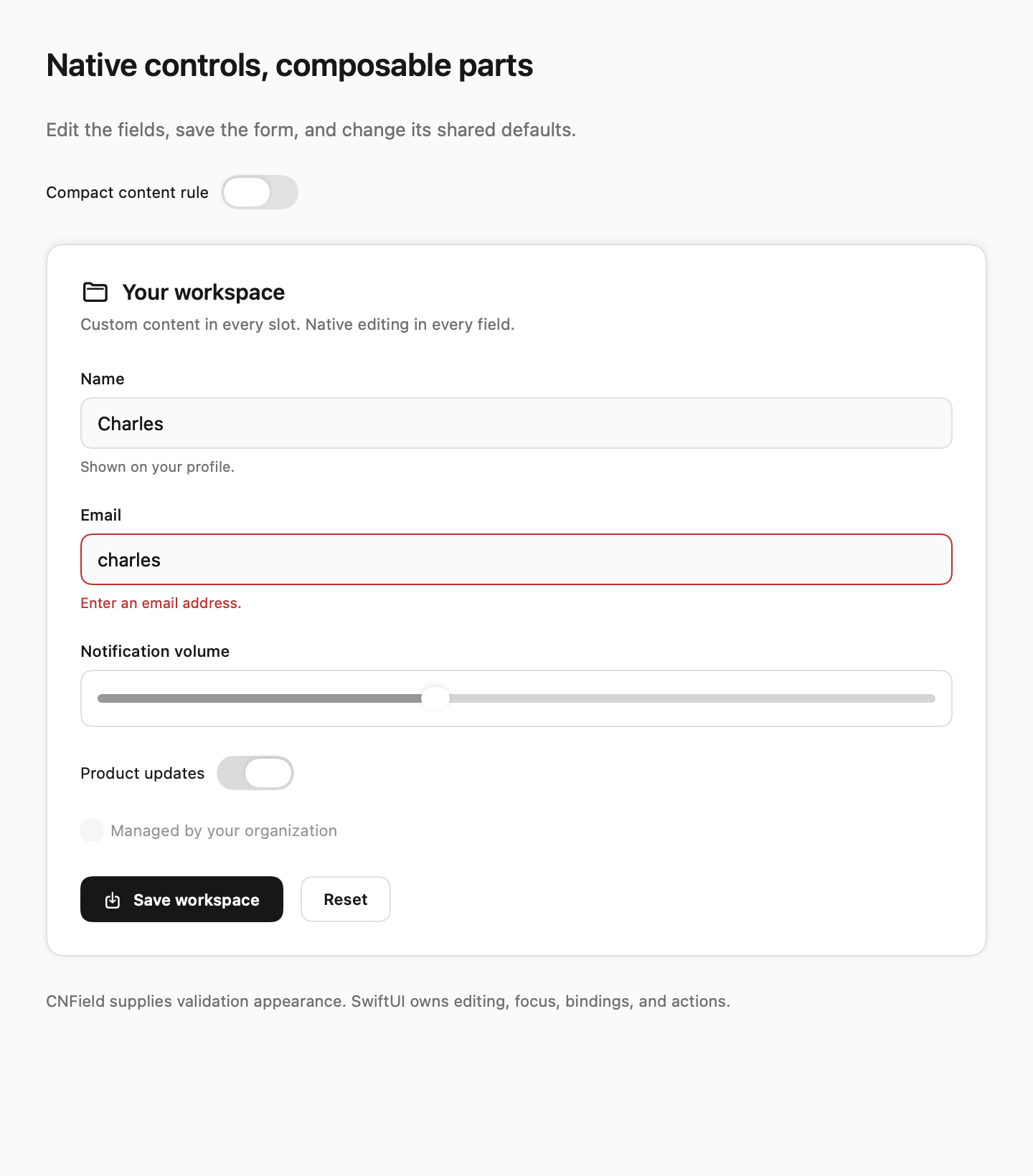
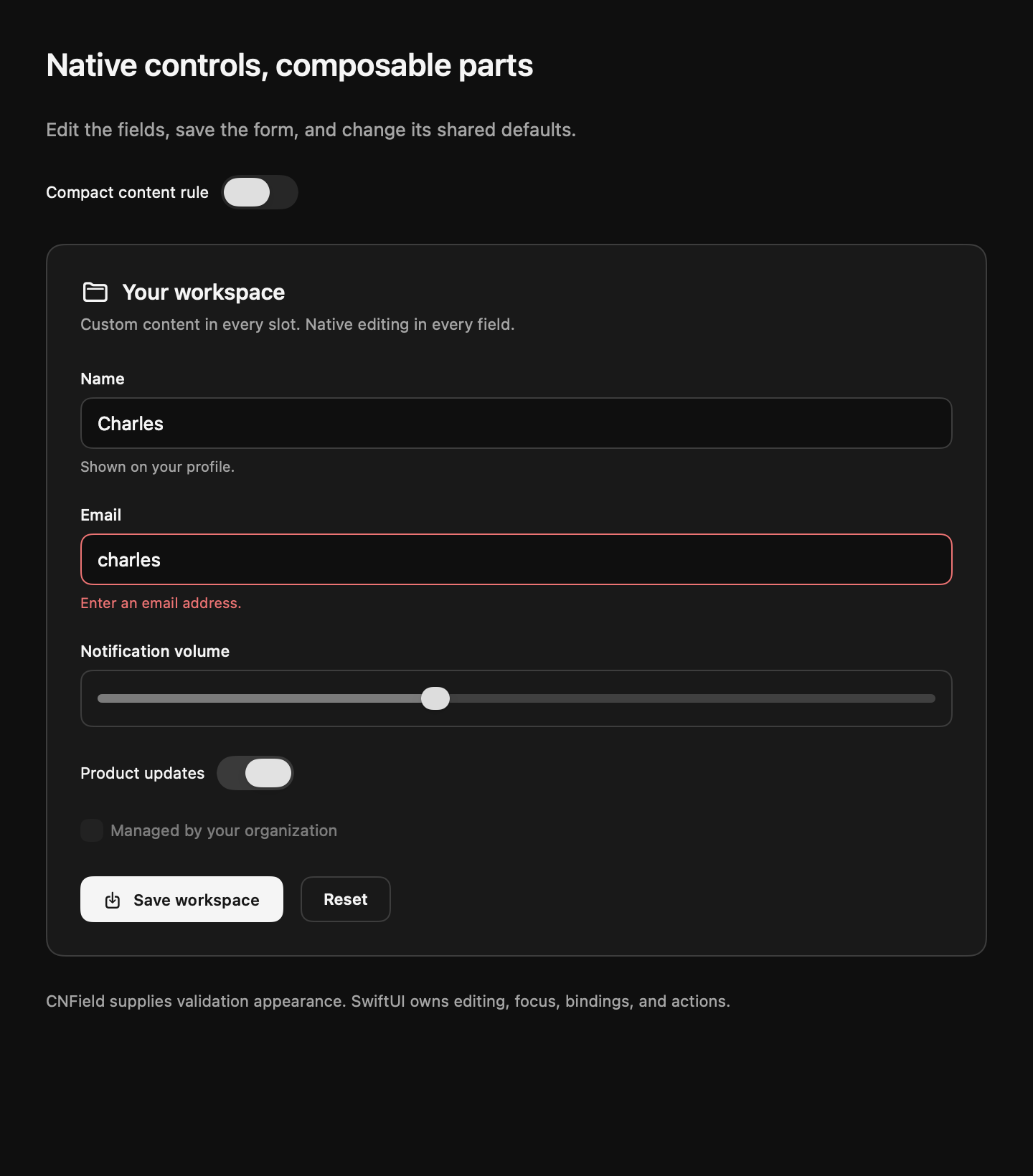
Parts and defaults
| Part | Layout or role | Editable class |
|---|---|---|
CNCard | Leading vertical stack; zero outer padding | card |
CNCardHeader | Leading vertical stack | card-header |
CNCardContent | Leading vertical stack | card-content |
CNCardFooter | Horizontal stack | card-footer |
CNCardTitle, CNCardDescription | Custom content or localized text | card-title, card-description |
CNFieldGroup | Leading vertical stack of independent fields | field-group |
CNField | Leading vertical stack; scoped invalid appearance | field |
CNFieldLabel, CNFieldDescription, CNFieldError | Custom content or localized text | field-label, field-description, field-error |
Each container accepts spacing: in native points.
Text parts accept a localized string or an arbitrary content builder.
Footer content can include Spacer(), a menu, or your own button component.
Compose extra classes with cn. Local classes override defaults for the same styling property:
CNCardContent(cn("p-4", compact ? "p-2" : nil), spacing: 8) {
    Text("Your content")
}
CNFieldLabel("Email", classes: "font-semibold")
CNCardTitle { HStack { Image(systemName: "sparkles"); Text("Workspace") } }
Use TWClasses(runtimeString) for an existing runtime string.
Typed interpolation, registered modifier tags, and state variants use the same class pipeline as .tw.
Native control adapters
TextField("Name", text: $name).textFieldStyle(.tw())
SecureField("Password", text: $password).textFieldStyle(.tw())
Toggle("Updates", isOn: $updates).toggleStyle(.tw())
Toggle("Updates", isOn: $updates).toggleStyle(.tw("p-2", base: .switch))
Label("Workspace", systemImage: "folder").labelStyle(.tw("text-lg", base: .titleAndIcon))
Text fields use a plain native editor with the editable input recipe.
Input height is a minimum: 44 points on iOS and 36 points on macOS.
Toggle and label adapters delegate to .automatic by default.
Pass a native or custom base: style to keep its presentation.
The toggle and label recipes supply the default appearance.
Passing classes selects the complete adapter style; include input, toggle, or label when you want those defaults.
Typed TWStyle values are also accepted.
Use a field control wrapper for another native control:
CNField(isInvalid: invalid) {
    CNFieldLabel("Volume").accessibilityHidden(true)
    CNFieldControl("p-3 rounded-md border") {
        Slider(value: $volume).accessibilityLabel("Volume")
    }
    if invalid { CNFieldError("Choose a lower volume.") }
}
CNFieldControl decorates arbitrary content. It does not choose a native control style.
The text-field and toggle adapters also read the nearest field's isInvalid value.
They apply field-invalid after their supplied style, including its focus variant.
An adjacent field retains its own validation appearance.
Use native .disabled, .focused, .onSubmit, keyboard shortcuts, and accessibility modifiers as usual.
Shared and local rules
Change a part across your application or within one subtree:
SettingsView().twRules { rules in
    rules.named["card-content"] = "p-4"
    rules.named["field-description"] = "text-sm text-muted-foreground"
    rules.named["field-invalid"] = "border-destructive focus:border-destructive border-2"
    rules.named["input"] = TWStyle(TWStyle.defaultStyle(for: "input")!, .rounded(.lg))
}
Local classes remain the last part defaults, so CNCardContent("p-2") overrides the shared padding.
CNCard clears outer card padding because its header, content, and footer own their spacing.
Add padding to CNCard explicitly when composing a different arrangement.
You can copy and edit these source files like the other swiftcn recipes.
Native labels and accessibility
Keep the native control's label even when you show a separate field label.
The example hides the duplicate visible label from accessibility and gives the native editor a useful hint.
A generic CNFieldLabel does not automatically associate itself with an arbitrary child control.
Supply the native accessibility label and help or error hint where the control needs them.
Parts preserve the native accessibility elements and use scalable typography tokens.
Validation rules, error visibility, and submission behavior stay in your application.
Full component library
Browse the native component library for all 64 catalog entries. Every page includes a complete usage example, native behavior notes, copyable source, and source downloads.
swift run SwiftCNComponentGallery